
What is HRC?
HoldemResources Calculator (HRC) is an advanced preflop solver for NLHE, suitable for everything from short-stacked tournament play and bounty calculations to deep-stacked cash games.
Download DocumentationHoldemResources Calculator:
Classic and Pro
HoldemResources Calculator (HRC) offers two distinct product models to cater to the varied requirements of the poker community: HRC Classic and HRC Pro.
HRC Classic is tailored for the endgame stages of tournaments, where players often face short to medium stack sizes. The tool supports robust computations up to a maximum of 25,000 nodes, which makes it suitable for stack sizes of up to roughly 30 big blinds. However, its postflop abstractions are limited and it lacks the scripting capabilities of the the Pro version.
In contrast, HRC Pro provides an unlimited tree size, enhanced postflop abstractions, and scripting functionalities, setting it apart as a solution specifically crafted for premium deep-stacked calculations. It caters to both tournament and cash game enthusiasts, making it a comprehensive solution for serious poker players.
Pricing Information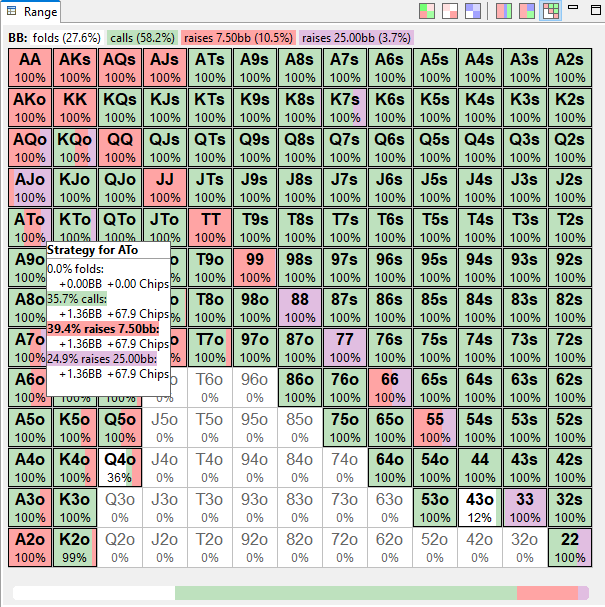
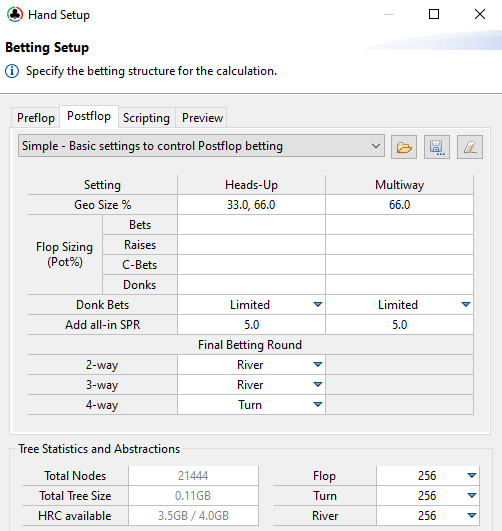
Postflop Equity Realization
With HRC's latest addition of state-of-the-art postflop abstractions, users can explore a wider range of poker scenarios.
Postflop abstractions enable HRC to generate strategies that account for potential betting scenarios after the flop, adding depth to your analysis.
The use of imperfect recall abstractions allows comprehensive preflop solves even on standard hardware. Enjoy advanced game analysis without the concern of high memory demands, bringing cutting-edge poker strategy within everyone's reach.
Advancing Multi-Table Tournament ICM Calculations
Experience enhanced precision with HRC's novel MTT ICM model
The traditional Malmuth-Harville ICM model presents difficulties when handling large player fields. Many ICM calculators limit the number of players or employ basic approximations to swiftly compute tournament equity estimates.
HRC's innovative MTT model dramatically improves this situation. It matches the accuracy of the Malmuth/Harville ICM model almost perfectly, with a deviation of just +/-0.01% in most scenarios, while being efficient enough to handle calculations involving thousands of players. This advancement makes it possible to scrutinize those critical bubble situations in large field tournaments, offering results you can trust!
Model Details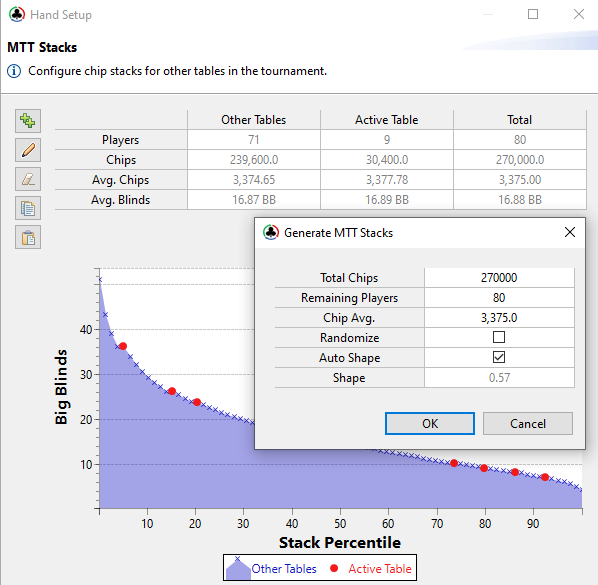
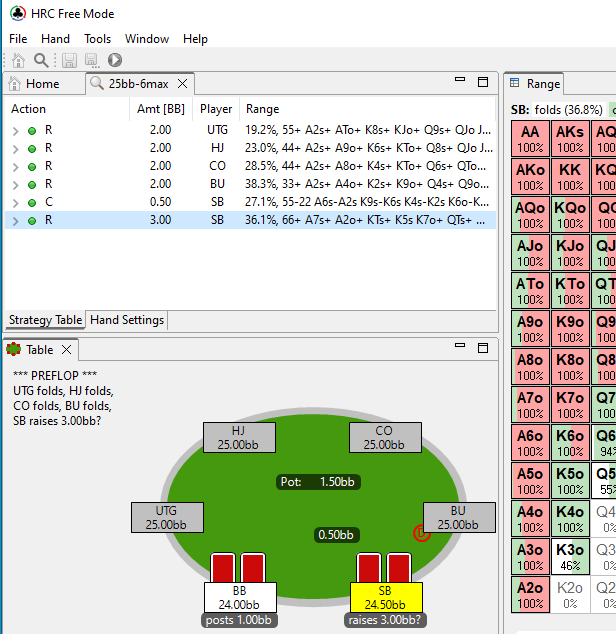
Free Viewer Mode
Share your HRC calculations with friends, free of charge
HoldemResources Calculator (HRC) is committed to fostering a collaborative poker learning environment. We understand the value of shared insights and discussions, and as part of this commitment, we offer the ability to display existing solutions absolutely free.
This feature enables all our users, including those without a paid license, to explore and learn from the calculations made by their friends or study groups. Our Viewer Save Files are compact, typically just a few megabytes, allowing for easy sharing through email, cloud storage, or other sharing platforms.
So go ahead, create your strategies, analyze your hands, and then share your findings with your poker network. Let HRC be the catalyst for deep and meaningful poker discussions, helping everyone elevate their game. Remember, growth in poker isn't just about individual advancement, it's about lifting the entire community.
DownloadFree Trial
Get started with a free, fully functional 14-day trial. Register your key directly in the program Download
Minimum Requirements
Runs on 64-bit Windows, OSX and Linux. We recommend a minimum of 4GB available RAM. A basic internet connection required for license validation.
Hand Histories
Supports hand histories of most popular poker sites and additional sites are added upon request.
Supported Sites